
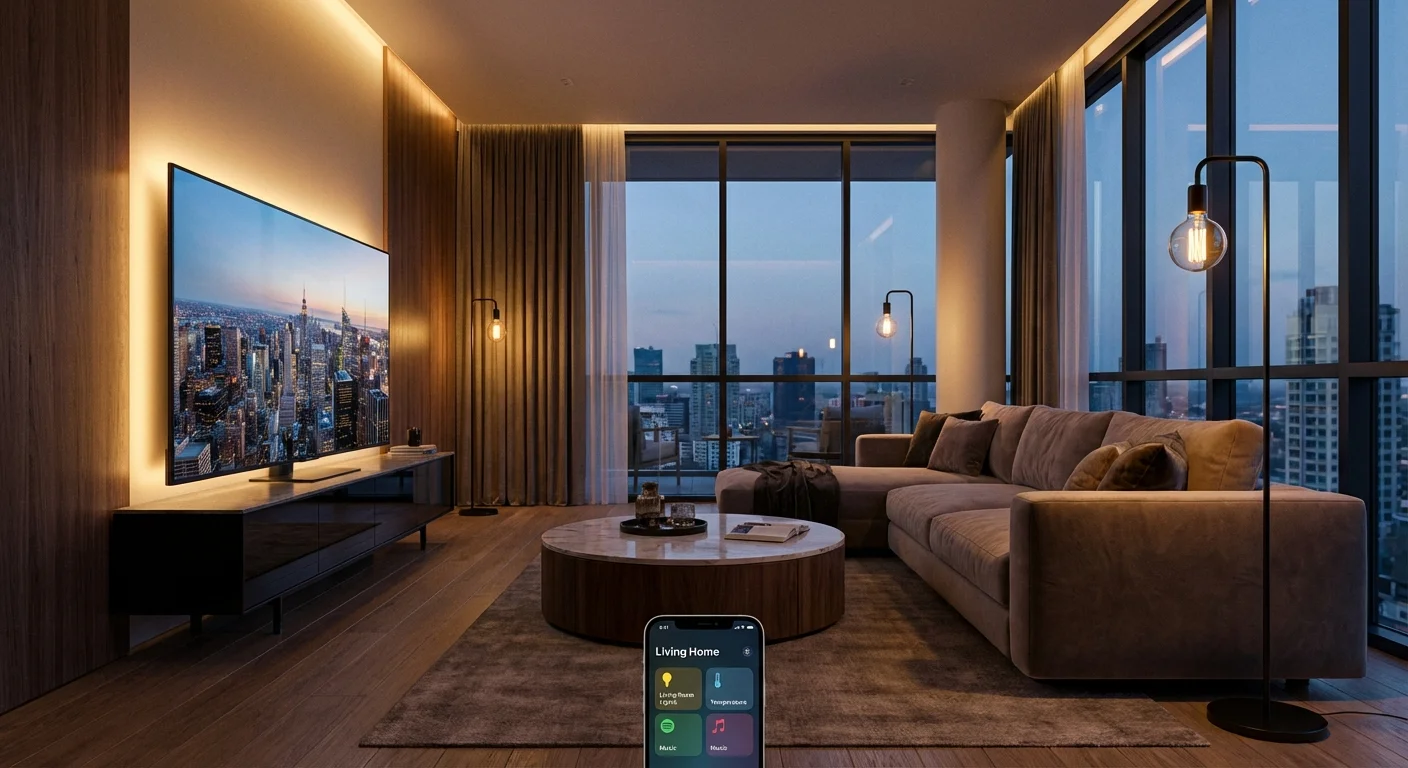
Have you ever walked into a high-end luxury hotel room, slotted your keycard into the wall, and watched in awe as the room practically came alive? The heavy blackout curtains glide open, the ambient lamps glow with a perfectly warm, golden hue, and soft jazz begins to play in the background. It is a masterclass in atmospheric design. For years, I assumed that creating this kind of frictionless, ultra-luxurious environment in my own home would cost thousands of dollars. I thought I needed complex wiring, custom-built architectural lighting, and a massive budget. But recently, I challenged myself to recreate that exact 5-star hotel feeling in my very standard, very boring apartment using just $150. Spoiler alert: I succeeded, and the transformation has completely changed the way I experience my daily life.
The Psychology of a Luxury Hotel Room
Before we dive into the gadgets, we need to understand what actually makes a hotel feel luxurious. It is rarely about the sheer size of the room. Instead, it is about three core elements: intentional lighting, frictionless convenience, and multi-sensory ambiance. Hotels master the art of eliminating the “big light”—that harsh, clinical overhead fixture that drains all the coziness out of a space. Instead, they use layered, diffused lighting at eye level. They also remove the friction of mundane tasks. You never have to reach behind a heavy nightstand to find a lamp switch, and everything feels seamlessly integrated. By reverse-engineering these principles, I realized I could achieve the exact same effect using entry-level smart home technology.
My $150 Smart Home Shopping List
To keep myself accountable, I set a strict budget of $150. I bypassed the premium, big-name brands that charge $50 for a single lightbulb and instead scoured Amazon for highly-rated, budget-friendly alternatives that integrated seamlessly with Google Home and Alexa. Here is exactly what I bought.
| Item | Quantity | Total Cost | Purpose in the Setup |
|---|---|---|---|
| Budget Smart LED Bulbs (Wi-Fi) | 4-Pack | $30 | Ambient, color-changing lighting for floor and table lamps. |
| Smart Wi-Fi Plugs | 4-Pack | $25 | Automating “dumb” appliances like my coffee maker and bedside lamps. |
| Smart LED Light Strip | 1 Roll (16ft) | $20 | Backlighting for the TV to create a cinematic, moody glow. |
| Entry-Level Smart Speaker | 1 Unit | $40 | The central brain for voice commands and ambient background music. |
| NFC Tags | 20-Pack | $15 | Tap-to-trigger automation routines for my smartphone. |
| Bluetooth Shower Speaker | 1 Unit | $20 | Waterproof audio for the ultimate spa-like bathroom experience. |
Total Spent: $150. Now, let us break down how I deployed these affordable gadgets to completely overhaul the vibe of my living space.
Phase 1: Eliminating the “Big Light” and Painting with Color
The very first thing I did was banish my overhead apartment lights. I took the four-pack of smart LED bulbs and placed them in strategic locations: two in matching floor lamps flanking my sofa, one in a small table lamp near the entryway, and one in my bedside reading lamp. I then connected them to the smart home app and grouped them by room. The secret to the “hotel look” is setting the color temperature of your bulbs to a warm, cozy 2700K (Kelvin) at around 60% brightness. I created a routine called “Evening Vibe”. Now, when the sun sets, my apartment automatically transitions from stark daylight into a moody, golden sanctuary. I also attached the $20 smart LED light strip to the back of my television. This technique, known as bias lighting, not only makes movies look incredibly cinematic by improving perceived contrast, but it also bathes the living room wall in a sophisticated, soft glow that screams high-end interior design.
Phase 2: The Magic of Smart Plugs
Smart plugs are arguably the most underrated gadgets in the tech world. For just a few dollars each, they can turn literally any “dumb” appliance into a smart device. I plugged my standard, inexpensive drip coffee maker into one of these smart plugs. By leaving the coffee maker’s physical switch in the “ON” position and preparing the water and grounds the night before, I was able to automate my morning brew. I set a schedule in my smart home app so that the smart plug receives power at exactly 6:45 AM. By the time my alarm goes off at 7:00 AM, the rich, comforting smell of freshly brewed coffee is already wafting through my apartment. I used the remaining smart plugs to control an old oscillating fan in my bedroom and a wax warmer in the living room, ensuring my apartment always smells amazing right before I walk through the front door.
Automate Your Digital Life Like Your Smart Home
You have learned how to automate your apartment—now let 100+ AI assistants automate your digital workflow, save you countless hours, and boost your daily productivity.
Phase 3: Building the “Welcome Home” and “Goodnight” Routines
The true luxury of a smart home lies in “Routines”—the ability to trigger a massive chain reaction of events with a single phrase. Using my budget smart speaker, I set up a routine triggered by the phrase, “Alexa, I’m home.” The second I speak those words after unlocking my door, a perfectly orchestrated sequence begins. The entryway lamp turns on to 100% brightness so I can take off my shoes. The living room lamps fade up to a cozy 50% warm white. The TV backlight shifts to a deep, relaxing indigo, and the smart speaker begins playing a curated Spotify playlist of Lo-Fi chillhop beats at a volume of 30%. It feels like stepping into the lobby of a boutique W Hotel. Conversely, my “Goodnight” routine is equally magical. When I say those words from my bed, every single light in the apartment turns off, the doors lock (if you have a smart lock), the bedroom fan turns on for white noise, and my alarm is automatically set for the next morning. No more walking around the dark apartment checking switches.
Phase 4: The NFC Tag Secret Weapon
Here is a wildly cheap tech secret that most people do not know about: NFC (Near Field Communication) tags. These are tiny, sticker-like chips that cost less than a dollar each. Your smartphone can scan them just by tapping the back of your phone against the sticker. I placed a tiny white NFC tag on my nightstand. Using the Apple Shortcuts app (which also works with Android), I programmed the tag to instantly trigger my “Sleep Mode”. Now, I do not even have to speak to a voice assistant if my partner is sleeping. I just gently tap my phone against the nightstand sticker, and instantly, the room plunges into darkness, “Do Not Disturb” mode is activated on my phone, and a soft rain soundscape begins playing from the speaker. I placed another sticker by the front door; tapping it shuts down all the power in the apartment to save electricity when I leave.
Phase 5: The Bathroom Spa Upgrade
No luxury hotel is complete without an incredible bathroom experience. While I couldn’t afford to install a rainfall showerhead or heated marble floors on my $150 budget, I could manipulate the atmosphere. I swapped the harsh bathroom vanity bulbs for dimmable smart bulbs. I then mounted the $20 waterproof Bluetooth speaker inside my shower caddy. Now, when I take a shower after a long workout, I tell my voice assistant to activate “Spa Mode.” The bathroom lights dim to a relaxing 10% brightness, shifting to a calming seafoam green color, and acoustic guitar music streams directly into the shower. Paired with a eucalyptus shower steamer, the sensory experience is indistinguishable from a high-end wellness retreat.
The Final Verdict
Living in a standard apartment does not mean you are condemned to standard living. By intentionally designing your environment with a mere $150 investment, you can drastically elevate your daily routines. Smart home technology is no longer an exclusive luxury for tech billionaires or homeowners with massive remodeling budgets. It is accessible, it is easy to set up, and the psychological benefits of living in a perfectly tailored, friction-free environment are profound. My stress levels have dropped, my mornings are peaceful, and hosting friends has become an absolute joy. If you have $150 to spare, skip the expensive dinner out this weekend and invest it in your living space. You will reap the rewards every single day.
Frequently Asked Questions (FAQ)
Do I need to be a tech expert to set this up?
Absolutely not. Modern budget smart devices are designed for plug-and-play simplicity. You simply screw in the lightbulb or plug in the device, download the corresponding app, and follow the on-screen instructions to connect it to your home Wi-Fi. The apps walk you through every single step.
Will these devices slow down my home Wi-Fi network?
Smart home devices like bulbs and plugs use an incredibly small amount of bandwidth. They only send tiny packets of data (essentially “on” or “off” commands). Unless you are running dozens of high-definition smart security cameras simultaneously, a standard router can easily handle 10-20 smart bulbs and plugs without any noticeable slowdown in your internet speed.
Do I need a smart speaker, or can I just use my phone?
You do not strictly need a smart speaker. Every device mentioned in this article can be fully controlled, scheduled, and automated directly from an app on your iOS or Android smartphone. However, a smart speaker adds the magic of hands-free voice control, which greatly enhances the “luxury” feel.
Are smart plugs safe to use with appliances?
Yes, provided you check the wattage rating. Most smart plugs are rated for up to 15 amps or 1800 watts, which is perfectly safe for coffee makers, lamps, fans, and TVs. However, you should avoid plugging high-draw heat appliances like heavy-duty space heaters or large air conditioners into standard, budget smart plugs unless they are specifically rated for heavy-duty appliances.
What happens if the Wi-Fi goes down?
If your internet goes out, your smart bulbs and plugs will temporarily lose their remote and voice-control capabilities. However, they will still function as traditional, “dumb” devices. You can still manually flip your wall switch to turn the smart lights on and off until your network is restored.