
Picture this: It is late at night, you are already tucked into bed, and you ask your voice assistant to turn off the bedroom lights. Instead of the satisfying click of darkness, you are greeted with a glowing red ring and the dreaded response: I am having trouble connecting to the internet right now. Sound familiar? If you have ever relied on big-brand smart home technology, you have likely experienced the frustration of cloud-dependent devices.
For years, my home was a patchwork of different ecosystems. I had Google Nest hubs, Amazon Echo dots, Philips Hue lights, and a Ring doorbell. At first, it felt like the future. But gradually, the cracks began to show. Devices stopped talking to each other, internet outages left me sitting in the dark, and the monthly subscription fees for basic features were quietly draining my wallet.
That was my breaking point. I decided to tear it all down and rebuild my smart home from the ground up using entirely open-source, locally hosted technology. Not only did I regain complete control over my privacy, but I also saved hundreds of dollars in the process. If you are tired of being held hostage by Big Tech ecosystems, here is exactly how I did it—and how you can too.
The Problem with Commercial Smart Homes
Before diving into the solution, it is important to understand why the current commercial smart home model is fundamentally flawed for power users and privacy-conscious individuals.
- Cloud Dependency: Most commercial devices do not communicate directly with each other. When you press a smart switch, the signal travels from your home to a server hundreds of miles away, processes the command, and sends it back to your lightbulb. This introduces latency and means your house breaks if the internet goes down.
- Walled Gardens: Tech giants want to lock you into their ecosystem. Getting an Apple HomeKit device to play nicely with a Google Nest thermostat is an exercise in endless frustration.
- Subscription Fatigue: Want to save the video from your security camera? That is $10 a month. Want advanced automation features? That is another subscription. It adds up quickly.
- Privacy Concerns: You are filling your most private spaces with microphones and cameras that send data to corporate servers. What happens to that data is largely out of your control.
Enter Home Assistant: The Brains of the Operation
The savior of my smart home journey was Home Assistant. For the uninitiated, Home Assistant is a free, open-source home automation platform that serves as the ultimate local control hub. It is designed to run entirely on a local server in your home, completely independent of the cloud.
Home Assistant does not care what brand your devices are. It acts as a universal translator, pulling thousands of different devices—from cheap Zigbee sensors to high-end smart TVs—into one unified, highly customizable dashboard. The best part? Everything runs locally. If my fiber internet gets cut, my motion sensors still turn on my lights in milliseconds.
The Hardware: Building My Local Server
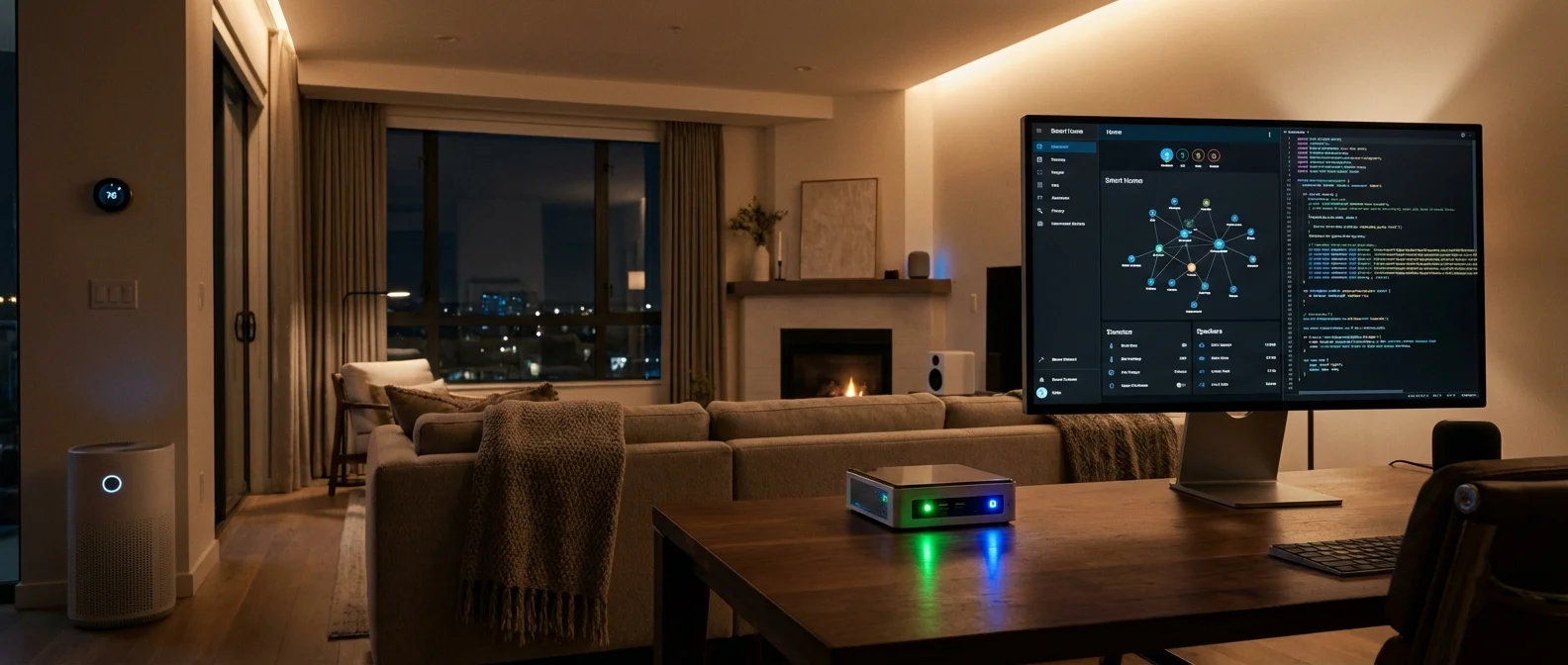
To run a local smart home, you need a local brain. Forget the expensive, branded hubs. I bought a refurbished Intel N100 Mini PC for about $130. You can also use a Raspberry Pi, though Mini PCs offer more power for complex automations and local video processing.
Next, I needed a way for my server to talk to smart devices without bogging down my home Wi-Fi. I purchased a Zigbee USB Dongle (around $25). Zigbee is a wireless protocol designed specifically for smart homes. It operates on a mesh network, meaning every device you plug in (like a smart plug or lightbulb) acts as a repeater, making the network stronger and wider.
How I Saved Hundreds (The Financial Breakdown)
Switching to open-source tech required a small upfront investment, but the long-term savings have been astronomical. Because I was no longer locked into premium brands that charge a premium for their proprietary hubs, I could buy cheap, unbranded Zigbee devices straight from manufacturers.
| Category | Commercial Smart Home (Old Setup) | Open Source Smart Home (New Setup) |
|---|---|---|
| The Hub / Server | $250 (Multiple proprietary hubs) | $130 (Intel N100 Mini PC) + $25 (Zigbee Dongle) |
| Smart Bulbs / Switches | $40 – $60 each (Premium Brands) | $8 – $15 each (Generic Zigbee/Matter) |
| Motion & Door Sensors | $30+ each | $5 – $10 each |
| Camera Subscriptions | $120 / year | $0 (Local NAS storage via Frigate) |
| Total 3-Year Cost | Over $1,500 | Under $500 |
By ditching cloud cameras alone, I saved $120 a year. I replaced my expensive Wi-Fi smart plugs with $8 Zigbee alternatives. The open-source software itself is completely free.
Mind-Blowing Automations I Could Never Do Before
The real magic of Home Assistant is the automation engine. Because it knows everything happening in your house across all brands, you can create automations that feel like real artificial intelligence.
For example, I built a Good Morning routine that is not triggered by a voice command, but by actual context. If my phone alarm goes off between 6:00 AM and 8:00 AM, AND the sun has not risen yet, AND the bedroom motion sensor detects me getting out of bed, Home Assistant will slowly fade on the hallway lights to 20% brightness and start the coffee maker. Big Tech ecosystems simply do not offer this level of granular, multi-condition logic.
Another favorite is my HVAC automation. If a window or door is left open for more than five minutes while the AC is running, Home Assistant turns off the thermostat and sends a notification to my phone, saving me massive amounts on my energy bill.
Automate Your Digital Life Like You Automate Your Home
If you love the idea of local automation and taking control of your systems, imagine having over 100+ AI assistants handling your daily digital tasks, business workflows, and productivity seamlessly.
The Learning Curve: Is It Too Technical?
I will not sugarcoat it: replacing your smart home with open-source tech is not quite as easy as plugging in an Alexa. There is a learning curve. Five years ago, setting up Home Assistant required writing lines of YAML code just to turn on a lightbulb.
Today, however, the landscape has completely transformed. The developers behind Home Assistant have made the user interface incredibly friendly. Most devices are auto-discovered the moment you turn them on. Creating automations is now a visual, drag-and-drop experience. If you know how to configure a router or use Excel logic, you can easily build a local smart home. Plus, the community is massive. Any problem you encounter has likely been solved and documented by someone else on YouTube or Reddit.
Reclaiming My Privacy
Perhaps the most satisfying part of this entire project is the peace of mind. My security cameras now process object and person detection locally using an open-source tool called Frigate. The video never leaves my local network. The microphones in my home (using local voice assistants) do not send snippets of my conversations to the cloud for training data.
In an era where our data is the product, taking back control of the most intimate space in my life—my home—feels like a massive victory.
Conclusion
Switching to an open-source smart home was one of the most rewarding tech projects I have ever undertaken. It required a weekend of tinkering, a bit of patience, and a willingness to learn. But the result is a home that responds instantly, respects my privacy, costs significantly less to maintain, and survives internet outages without skipping a beat. If you are frustrated by the limitations of commercial smart home tech, it might be time to take the leap into the open-source world. You will wonder why you didn’t do it sooner.
Frequently Asked Questions
What is Home Assistant?
Home Assistant is a free, open-source home automation system that acts as a central control hub for your smart home devices. Unlike Google Home or Amazon Alexa, it runs locally on your own hardware, ensuring complete privacy and zero reliance on cloud servers.
Do I need to be a programmer to use open-source smart home tech?
Not anymore! While it used to require coding knowledge, modern open-source platforms like Home Assistant now feature intuitive, graphical user interfaces. If you can follow basic online tutorials and understand logic like If-This-Then-That, you can manage it.
What happens if the power goes out?
Like any smart home, if the power goes out, your devices will turn off unless you have a backup power supply. However, if only your internet goes down (but your power remains on), your open-source local smart home will continue to function flawlessly, unlike cloud-dependent systems.
Can I still use voice control without Alexa or Google?
Yes. Home Assistant has built-in local voice control capabilities via pipelines like Assist. You can also integrate open-source smart speakers, ensuring that your voice commands are processed locally on your server rather than being sent to the cloud.
Is Zigbee better than Wi-Fi for smart devices?
In most cases, yes. Wi-Fi routers can get congested when you connect 30 or 40 smart bulbs and switches. Zigbee is a low-power, dedicated mesh network specifically built for smart devices, keeping your Wi-Fi open for your phones, laptops, and streaming devices.