
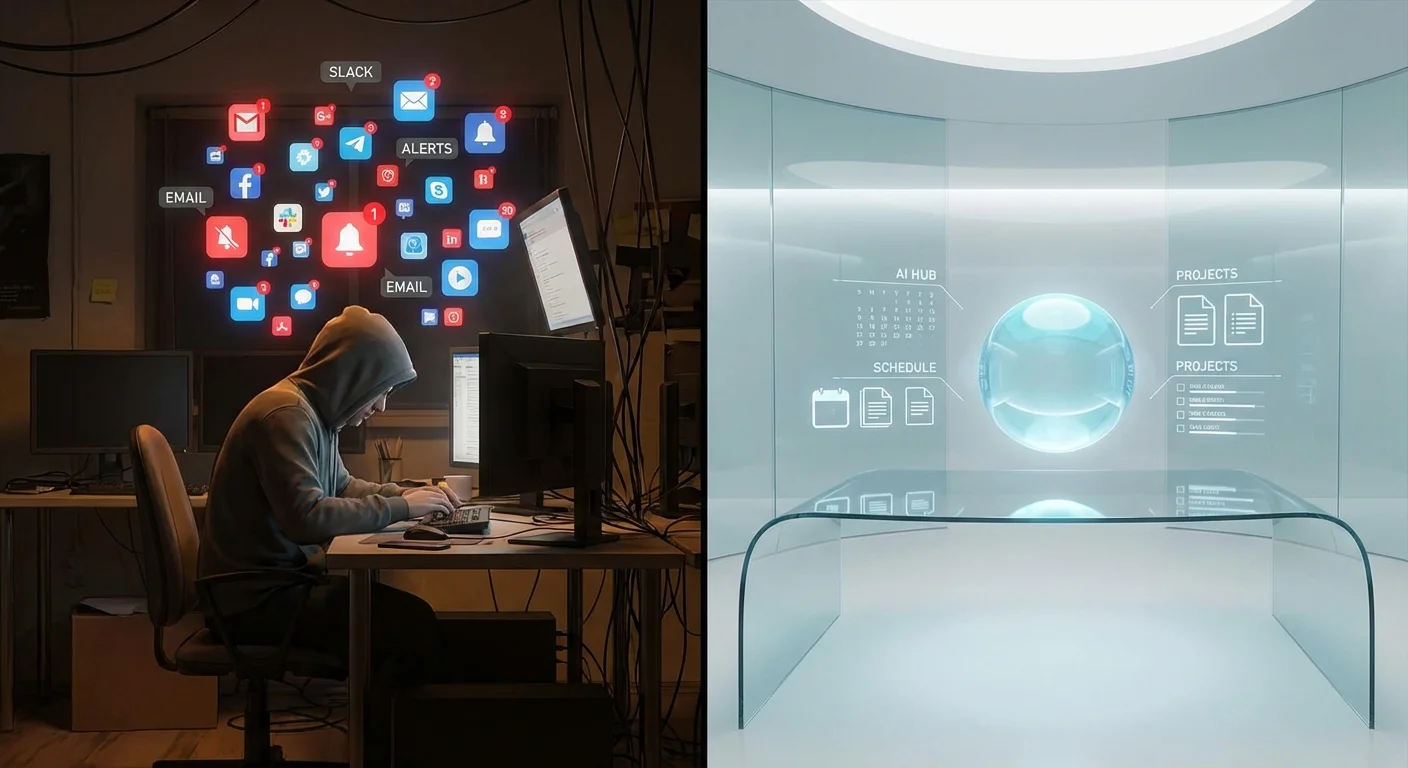
If you are a remote worker, your morning probably looks something like this: You log in, open Slack to check messages, switch to Asana or Trello to review your tasks, open a Google Doc to start drafting a proposal, check Notion for your team’s standard operating procedures, and keep a tab open with ChatGPT to help you brainstorm. Before you have even started your actual deep work, you have clicked through five different applications, mentally juggling the distinct interfaces, notification sounds, and organizational systems of each.
For years, this fragmented software ecosystem was considered the gold standard of remote work productivity. We were told to build our ‘perfect tech stack’ by selecting the best-in-class tool for every specific job. But an unignorable shift is happening. A silent revolution is spreading across home offices, co-working spaces, and digital nomad hubs around the globe. Thousands of remote workers, freelancers, and distributed teams are quietly packing up their data, canceling their expensive subscriptions, and abandoning the multi-app chaos.
The Epidemic of App Sprawl and SaaS Fatigue
To understand why this mass exodus is occurring, we first have to examine the psychological and financial toll of ‘app sprawl.’ In the early 2010s, cloud-based productivity apps were a revelation. They freed us from clunky desktop software and allowed real-time collaboration. However, as the remote work industry exploded—particularly during the events of 2020—software companies fragmented our workflows into tiny, hyper-specialized pieces.
The Hidden Cost of Context Switching
Psychologists and productivity experts call it the ‘context switching tax.’ Every time you move your attention from a Slack channel to a project management board, your brain has to completely re-orient itself. Studies suggest that it can take up to 23 minutes to fully regain deep focus after an interruption or a shift in task context. When you are constantly toggling between apps to find a link, update a status, or copy-paste text, you are suffering micro-interruptions that compound over the day. By 3:00 PM, you feel exhausted, yet you look at your to-do list and realize you have accomplished very little of substance. You have spent your day managing your work, rather than doing your work.
The Turning Point: The Rise of the Unified AI Workspace
The turning point arrived with the maturity of generative Artificial Intelligence. Initially, AI was just another tab in our browsers. We would copy text from a document, paste it into ChatGPT, ask for an edit, and paste it back. But forward-thinking developers realized that AI shouldn’t be a separate tool; it should be the underlying infrastructure of everything we do. Enter the single AI Workspace—a unified digital environment where notes, tasks, databases, and communication all live under one roof, powered natively by artificial intelligence.
Platforms that are pivoting to this model are completely changing the paradigm. You don’t have to ask an AI to summarize a separate document; the AI is already embedded in the document. You don’t have to manually update a task status based on a meeting transcript; the workspace reads the native transcript and updates the embedded project board automatically. It is less like using software and more like having a hyper-competent Chief of Staff managing your digital life.
4 Reasons Why Top Remote Workers Are Making the Switch
The transition away from traditional productivity stacks isn’t just a passing trend. It is a fundamental evolution driven by four massive benefits that the old system simply cannot offer.
1. AI as a Co-Worker, Not Just a Tool
In a traditional setup, tools are passive. A spreadsheet waits for you to input data. A Kanban board waits for you to drag a card. In an AI-native workspace, the environment is active. Remote workers are using these platforms to auto-generate weekly reports from their raw daily notes, instantly translate and format documentation for global teams, and draft emails based on task updates. The AI has deep context about your projects because everything lives in the same ecosystem.
2. The Great Subscription Purge (Drastic Cost Reduction)
Let’s talk about the financial elephant in the room. Maintaining a modern tech stack is shockingly expensive. When remote workers realize they are paying a premium for fragmented tools, the unified AI workspace becomes a financial no-brainer. Consolidating into one intelligent platform often cuts software costs by 60% to 80%.
| Function | Traditional Stack Example | Estimated Monthly Cost | AI Workspace Equivalent |
|---|---|---|---|
| Project Management | Asana / Monday.com | $15 – $30 | Included Natively |
| Notes & Docs | Evernote / Bear | $8 – $15 | Included Natively |
| AI Assistant | ChatGPT Plus / Claude Pro | $20 | Included Natively |
| Automations | Zapier / Make | $20 – $30 | Included Natively |
| Total Stack Cost | Fragmented Chaos | $63 – $95 / month | $15 – $20 / month total |
Upgrade Your AI Workspace Instantly
Want to maximize your unified digital environment? Access a curated dream team of 100+ specialized AI assistants designed to automate daily tasks, write copy, and scale your productivity effortlessly.
3. Omnipresent Universal Search
Have you ever spent 15 minutes desperately searching for a specific file, unable to remember if a client sent it via Slack, email, a Google Drive link, or attached it to a Trello card? This phenomenon is a massive drain on remote work efficiency. A unified AI workspace solves this completely. Because all your notes, tasks, and communications are in one database, the built-in AI search acts as a hyper-intelligent librarian. You can simply ask, ‘What were the key takeaways from last month’s marketing meeting regarding the new launch?’ and the AI will pull the exact information, synthesize it, and present it to you instantly.
4. Customizable Workflows Without Coding
Traditional apps force you to adapt to their way of thinking. If an app is built around lists, you have to use lists. If it is built around boards, you use boards. AI workspaces are fundamentally modular. You can view the exact same data as a timeline, a calendar, a spreadsheet, or a document. Furthermore, the AI can help you build custom dashboards. You can instruct the workspace: ‘Create a dashboard for my freelance writing business that tracks active pitches, invoices pending, and ideas for next week.’ The platform builds the infrastructure for you in seconds.
How to Make the Transition Without Losing Your Mind
Switching from a multi-app stack to a single unified workspace can feel daunting. Decades of digital hoarding make the idea of migrating data seem like a nightmare. However, the most successful remote workers follow a phased approach to make the transition seamless.
- Phase 1: The Audit. Take a week to write down every tool you use and what you actually use it for. You will likely find redundancies, like using both Apple Notes for quick thoughts and Google Docs for longer drafts.
- Phase 2: The Pilot Project. Do not try to move everything at once. Choose one specific, self-contained project—like planning a vacation, organizing a content calendar, or managing a single client—and execute it entirely within the new AI workspace.
- Phase 3: The Data Migration. Most modern workspaces offer one-click imports from popular tools like Evernote, Trello, and Asana. Bring your data over, but let the AI help you reorganize it. Instead of manually tagging old notes, prompt the AI to categorize and summarize your imported archives.
- Phase 4: The Hard Cutoff. Set a date. After this date, cancel your old subscriptions and delete the desktop apps. The friction of not having the old apps will force you to adapt to the new, streamlined system.
The Future of Remote Work is Minimalist
As remote work matures, the initial excitement of having an app for everything has worn off, replaced by a deep desire for digital minimalism and focused, meaningful work. The shift toward a single AI workspace isn’t just about saving money on subscriptions or accessing cool new generative tech. It is fundamentally about reclaiming our attention. By tearing down the walls between our tasks, our documents, and our communication, we eliminate the friction that holds back our best ideas. The thousands of remote workers quietly making this switch have discovered a secret: true productivity isn’t about doing more things in more apps. It is about doing the right things, in an environment that actively helps you succeed.
Frequently Asked Questions (FAQ)
What exactly is a ‘Unified AI Workspace’?
A unified AI workspace is a single digital platform that combines document creation, database management, project tracking, and communication, with artificial intelligence deeply integrated into its core architecture. Instead of AI being an add-on, it acts as the central processor that helps organize, summarize, and generate content across all your different types of data.
Isn’t it risky to put all my data into one single application?
While centralizing data does create a single point of failure conceptually, top-tier workspace platforms utilize enterprise-grade encryption, automated cloud backups, and allow for local offline storage. It is arguably safer than having your data fragmented across ten different smaller apps, each with its own varying security vulnerabilities. Always ensure the platform you choose allows for easy bulk exporting of your data.
Will the AI in these workspaces steal my company’s confidential data?
Reputable productivity platforms have strict data privacy policies regarding their AI integrations. Enterprise and professional tiers usually explicitly state that user data is not used to train global public AI models. However, it is crucial to read the privacy policy of the specific tool you choose, especially if you handle sensitive legal, medical, or financial information.
I am not a tech-savvy person. Is the learning curve too steep?
Ironically, unified AI workspaces are becoming easier to use than traditional software precisely because of the AI. Instead of navigating complex menus to build a project board, you can simply type, ‘Build a project board for a website redesign,’ and the AI will generate the templates and structures for you. The learning curve is shifting from learning software mechanics to learning how to effectively communicate with the AI.
Can a single workspace really replace complex project management tools like Jira?
For large enterprise software development teams doing complex sprint planning, dedicated tools like Jira might still be necessary. However, for 90% of remote workers—including marketers, writers, designers, consultants, and general managers—a unified AI workspace is more than capable of handling their project management needs while providing vastly superior note-taking and knowledge management features.