
If you have been scrolling through TikTok, YouTube, or Twitter recently, you have likely seen the endless barrage of side hustle ideas. From dropshipping to crypto trading, the internet is flooded with ways to make money online. But there is a quiet, highly profitable trend emerging that doesn’t require thousands of dollars in startup capital, dealing with angry customers, or managing complex supply chains. It is being called the ultimate ‘lazy’ side hustle, and beginners are using it to quietly pull in $3,000 to $5,000 a month in purely passive income. The secret? Selling minimalist Notion templates.
You might be wondering: what exactly is a Notion template, and why are people paying good money for ‘minimalist’ ones? Notion is a wildly popular all-in-one workspace app used by millions of people to organize their lives, businesses, and studies. It is essentially digital LEGOs. Users can build whatever they want, from habit trackers to entire project management systems. But here is the multi-million dollar curiosity gap: most people do not want to build these systems themselves. They are overwhelmed by the blank page. They want a ready-to-use, aesthetically pleasing system they can duplicate into their own workspace instantly. That is where you come in.
The ‘Lazy’ Genius of Minimalist Templates
When the Notion template gold rush first started, creators were competing to build the most complex, feature-heavy dashboards imaginable. We are talking about 50-page digital behemoths with interconnected databases, complex formulas, and overwhelming navigation menus. But the market has drastically shifted. Today, consumers are experiencing digital fatigue. They do not want an operating system that requires a master’s degree to figure out; they want simplicity, clarity, and peace of mind.
This shift to minimalism is incredibly advantageous for beginners. You no longer need to be a coding wizard or a Notion power user to make money. Minimalist templates focus on doing one specific thing perfectly. Whether it is a simple weekly meal planner, an aesthetic daily journal, or a straightforward budget tracker, these lightweight templates take only a few hours to build but can be sold an infinite number of times. It is the purest form of digital real estate. You build it once, put it on a storefront, and let the internet do the rest.
Complex Dashboards vs. Minimalist Templates
| Feature | Complex Dashboards | Minimalist Templates |
|---|---|---|
| Build Time | 2 to 4 weeks of intense logic mapping | 2 to 4 hours of design and layout |
| Customer Support | High (Users constantly break formulas) | Almost Zero (Intuitively simple to use) |
| Target Audience | Niche power users and tech enthusiasts | Everyday people, students, and casual users |
| Profit Margin | 100% Digital Asset | 100% Digital Asset |
The Psychology Behind Why People Buy Templates
Before diving into the exact blueprint, it is crucial to understand the psychology of your buyer. Why would someone pay $15 or $30 for a digital page they could technically build themselves? The answer boils down to three core human desires: saving time, acquiring aesthetics, and buying a better version of themselves.
When a customer purchases a minimalist fitness tracker, they are not just buying digital tables and checkboxes. They are buying the motivation and the idealized version of themselves who works out every day. Furthermore, aesthetics matter deeply in the digital age. A clean, beautiful, minimalist workspace makes the mundane task of tracking habits or finances feel luxurious. If you can package these feelings into a simple Notion template, you have a highly sellable product.
The 4-Step Blueprint to Hitting $3,000 a Month
Making your first few thousands dollars a month selling digital products is not magic; it is a predictable formula. Here is exactly how everyday beginners are launching their minimalist Notion template businesses from scratch.
Step 1: Identify a Hyper-Specific Niche
The biggest mistake beginners make is creating a ‘Life Planner’ that tries to do everything for everyone. The riches are in the niches. You want to target a highly specific audience with a highly specific problem. Some of the most successful minimalist templates solve micro-problems.
- For Students: A minimalist spaced-repetition flashcard tracker or a simple thesis timeline planner.
- For Freelancers: A clean, one-page client portal or an aesthetic invoice tracker.
- For Hobbyists: A houseplant watering schedule or a minimalist travel packing checklist.
By narrowing your focus, your template becomes the undisputed best option for that specific person. When a freelancer sees your ‘Minimalist Client Onboarding Portal,’ they immediately think, ‘This was made exactly for me.’
Step 2: Build Using the ‘Blank Page Rule’
Once you have your niche, it is time to open Notion and start building. The ‘Blank Page Rule’ states that a user should not be intimidated when they open your template. Use plenty of white space. Stick to a monochromatic color palette with perhaps one accent color. Utilize simple, clean icons instead of cluttered emojis.
Your template should consist of a clean dashboard with immediate access to the core features. Do not hide things behind five different clicks. If you are building a budget tracker, the user should be able to input their daily coffee purchase within three seconds of opening the app. Remember, you are selling simplicity. The ‘lazier’ the user can be while using your template, the better it will perform.
Step 3: Package Like a Premium Product
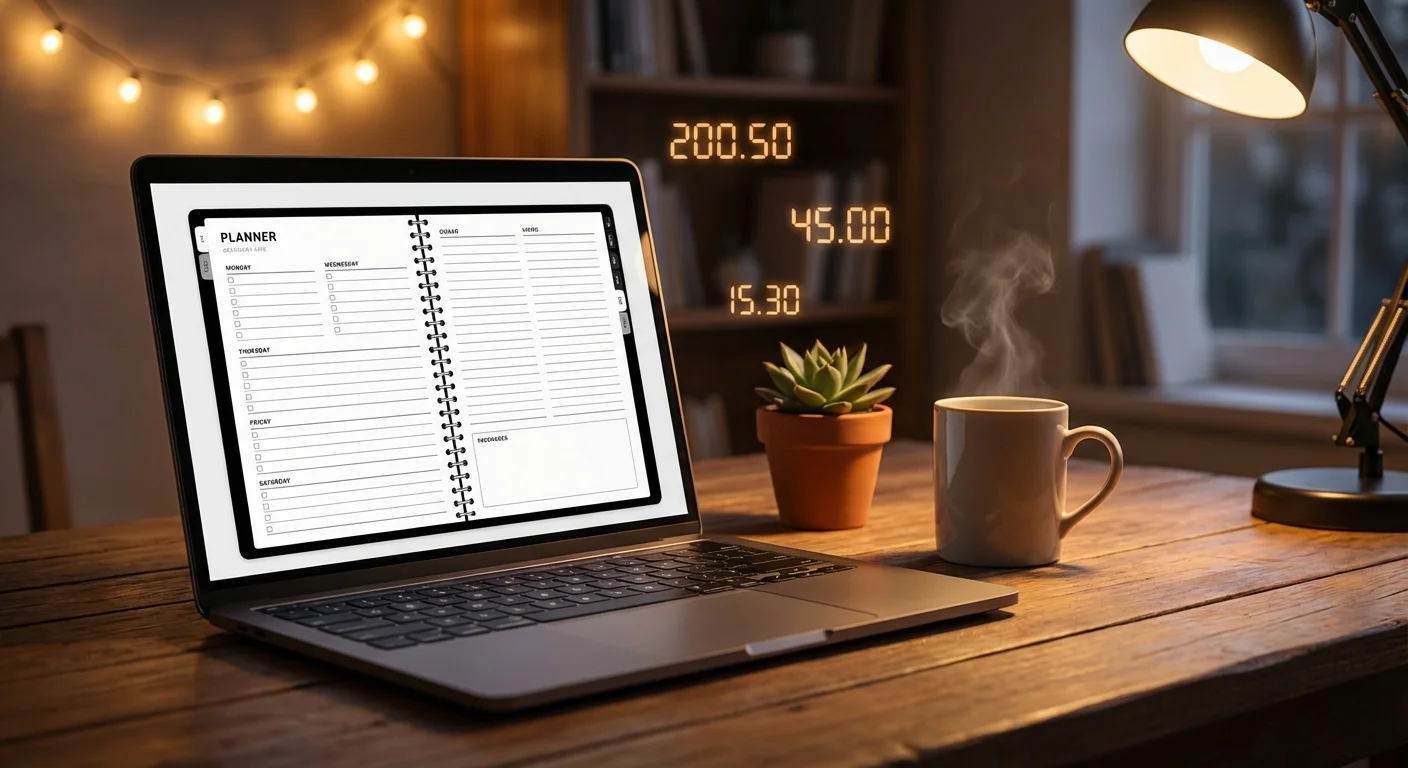
Your marketing materials matter more than the template itself. Since digital products are intangible, you have to make them feel real. You do this through high-quality mockups. Take screenshots of your beautiful, minimalist template and place them inside high-resolution images of MacBooks and iPads. You can use free tools like Canva to create these stunning product listings.
Write compelling copy for your sales page. Instead of listing the features (e.g., ‘Includes 3 databases’), focus on the transformation (e.g., ‘Take control of your finances in 5 minutes a day’). Set up a free storefront on platforms like Gumroad, Lemon Squeezy, or Etsy. These platforms handle all the payment processing and automatic digital file delivery for you, meaning you genuinely make money while you sleep.
Step 4: The ‘Set and Forget’ Traffic Engine
You can have the most beautiful Notion template in the world, but if nobody sees it, you will not make a dime. The secret to the $3,000 a month milestone is driving consistent, organic traffic to your storefront. The best platforms for Notion templates are Pinterest, TikTok, and Twitter.
On TikTok and Instagram Reels, aesthetic, cozy desk setups perform incredibly well. Record a 7-second video of yourself checking off a habit on your minimalist template while drinking coffee. Add a trending audio track and a hook like, ‘How I finally organized my life in 2024.’ On Pinterest, create tall, beautifully designed pins showcasing your template’s layout. Pinterest acts as a visual search engine, meaning pins you create today can still drive daily sales a year from now.
Automate Your Template Traffic
Struggling to get consistent eyes on your new Notion templates? Use advanced traffic generation tools to scale your passive income effortlessly.
Common Pitfalls to Avoid
While this side hustle is accessible, it is not completely without hurdles. One major pitfall is underpricing. Many beginners think they need to sell their templates for $2 to get any buyers. In reality, pricing too low diminishes the perceived value of your product. If a template solves a genuine problem, do not be afraid to charge $15, $29, or even $49 for it. A minimalist template priced at $29 only needs about three sales a day to hit roughly $3,000 a month.
Another pitfall is giving up after a week. SEO on Etsy or Pinterest takes a bit of time to ramp up. The creators who succeed are the ones who consistently post content and refine their product listings based on what the algorithm favors. Treat your digital product store like a real business, and it will eventually pay you like one.
Frequently Asked Questions (FAQ)
Do I need to know coding to build Notion templates?
Not at all. Notion operates on a simple drag-and-drop block system. If you can type on a keyboard and drag items around a screen, you have all the technical skills required to build a profitable template. There is zero coding involved.
Is the Notion template market too saturated in 2024?
While it is more popular than it was three years ago, the market is not saturated for high-quality, niche-specific minimalist templates. The generic ‘Life Planner’ market is crowded, but if you create highly specific solutions (like a ‘Minimalist Dog Breeder Health Tracker’ or a ‘Cozy Gamer Backlog Organizer’), you will easily find eager buyers.
How much does it cost to start this side hustle?
The monetary cost is practically zero. Notion is free to use. Gumroad is free to set up (they just take a small percentage of your sales). Canva has a robust free tier for creating mockups. Your only real investment is your time and creativity.
Where is the best place to sell my templates?
Etsy is a fantastic starting point because it already has millions of buyers searching for digital planners. However, Gumroad is the gold standard for independent creators, especially if you plan to drive your own traffic through social media like TikTok, Twitter, or Pinterest.
How do I handle customer support for a digital product?
Because you are focusing on minimalist templates, support requests will be rare. However, the best practice is to include a simple ‘How to Use’ page directly inside the template. You can embed a short YouTube video of yourself doing a screen recording, explaining exactly how to duplicate the template and use its features. This proactive step eliminates 99% of customer questions.